Free Reaction Time Test No Download Required
You do not need to install anything to measure your reaction time. A modern browser can run a legitimate millisecond-level test the moment a page loads: wait for the color change, click as fast as you can, and read your result. Running this site, we built the [free reaction time test](/) to work exactly that way — five rounds, no account, no installer, and no files left on your machine.
Overview
You do not need to install anything to measure your reaction time. A modern browser can run a legitimate millisecond-level test the moment a page loads: wait for the color change, click as fast as you can, and read your result. Running this site, we built the free reaction time test to work exactly that way — five rounds, no account, no installer, and no files left on your machine.
Skepticism is reasonable here. If a lab needs calibrated equipment to measure reaction time, how can a web page do it? The short answer: a browser test is a real measurement of a slightly different thing. Your score always includes your hardware alongside your biology, and that is true of an app too. This guide explains why web-based testing is scientifically legitimate, what you skip by staying in the browser, and where the honest limits are.
Browser Testing Is Real Measurement
Web-based reaction time testing is not a toy version of the real thing — researchers use it themselves. A 2020 study published in Frontiers in Aging Neuroscience collected simple reaction time data from 10,060 participants through an online, browser-based protocol, reporting a median of 301 ms and a mean of roughly 318 ms. A sample that size is only practical because the test ran on the devices people already had, with nothing to install.
Put that number next to the lab literature and a useful pattern appears. In calibrated laboratory conditions, Woods and colleagues measured a mean simple visual reaction time of about 231 ms across 1,469 adults. A large computerized study by Vincent and colleagues, with 107,413 participants, reported 261 ms, while a different computer protocol used by Deary and Der produced 328 ms in 1,930 adults. Every method lands on its own scale — the browser is simply one more protocol among several, not a fake one.
The practical lesson is that no single number defines human reaction time. Each protocol mixes biology with its own equipment and procedure, so the honest way to use any of them is to compare like with like: your results against your own earlier results, on the same setup.
What You Skip by Staying in the Browser
Downloading an app to check your reflexes is a bit like installing software to check the weather. The task is small, the data is simple, and the browser already has everything needed to do it well. Staying on the web means you avoid the whole maintenance burden that comes with installed software:
- No installer, no admin rights, and nothing to uninstall later.
- No updates to manage — you always load the current version automatically.
- No app permissions to grant, no account to create, no background process.
- Access from any device with a browser: your laptop, a work machine, a tablet, a phone.
- No storage used and no leftover files — close the tab and it is gone.
Privacy deserves its own mention. Our test runs locally in your browser, and your results stay on your device rather than being uploaded anywhere. The details are in our privacy policy, but the short version is that a measurement like this has no legitimate reason to leave your machine.
Skip the guesswork — measure it
Reading about reaction time only gets you so far. The five-round test takes about a minute and gives you a median score you can actually track.
Take the reaction time testHow the Measurement Works in a Web Page
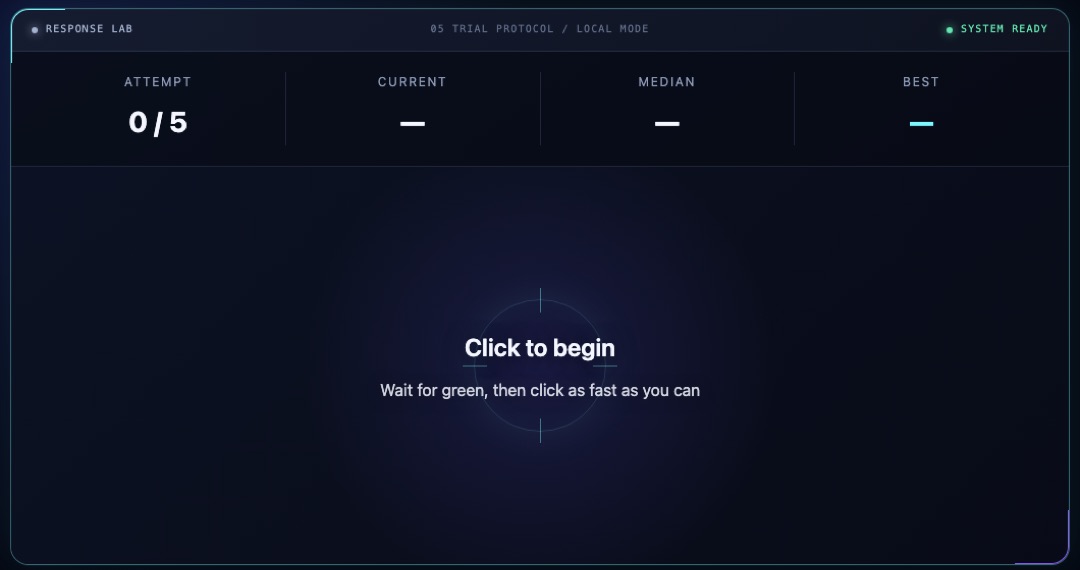
The protocol is the same one labs have used for decades. You click to arm the test, the page waits a random interval, and then the screen changes color. The moment you see the change, you click or tap. The timer reports the gap between the signal and your response in milliseconds, and the random delay matters: it prevents you from anticipating the signal, so each round captures a genuine reaction instead of a well-timed guess.
One round, though, says very little. A single lucky click — or a single distracted one — would dominate the result, so our test runs five rounds and reports the median, which shrugs off the occasional outlier. The full details, including how the timer works and which hardware limits apply, are laid out on our methodology page.
The Honest Hardware Caveats
Here is the part any careful test should admit. A browser score is your biology plus your setup, and the setup contributes real milliseconds. A standard 60 Hz display redraws every ~16.7 ms, so the color change can sit in the frame pipeline for up to a full frame before your eyes ever see it. Input hardware, the operating system, and the browser's event handling each add a little more on top.
The places where milliseconds hide are roughly these:
- Display refresh — at 60 Hz, up to ~16.7 ms before the signal even reaches the screen.
- Display processing — some panels add their own internal delay on top of the refresh cycle.
- Input device — mouse, trackpad, and touchscreen each report taps at different speeds.
- Operating system and browser — event queues and compositing add small, variable delays.
None of this makes the test useless — it makes cross-device comparison unfair. Your phone and your laptop can easily differ by more than the gap between two people, so a slower score on one device tells you nothing about your reflexes. This is also why a browser result should never be lined up directly against a lab figure like 231 ms: the lab number was produced with calibrated equipment precisely to strip out the delays your setup includes. Same person, same device, same conditions — that is the comparison worth making.
When a Downloaded App Actually Makes Sense
To be fair, installed software has its place. Researchers who need tightly calibrated timing work with dedicated hardware and controlled protocols, not consumer screens. Specialized tools can also log data across long sessions or integrate with other equipment — things a casual five-round check does not need.
What an app does not give you is freedom from hardware latency. It runs on the same display, the same touchscreen, and the same operating system as a web page, so the ~16.7 ms frame at 60 Hz applies either way. For personal tracking — watching your own baseline over weeks, checking whether fatigue shows up in your scores — a browser test delivers everything that matters with none of the overhead.
Using Your Score Sensibly
Treat any single session as rough orientation, not diagnosis. Scores drift with sleep, attention, and familiarity with the task, so one mediocre afternoon says little about you. Age moves the needle too, but gently: in the Woods et al. data, observed means rose gradually from about 218 ms in the youngest adults to roughly 239 ms in the oldest group. Our average reaction time page walks through these study numbers in more detail.
For a browser-based score, the useful question is not "am I above average" but "am I consistent, and am I drifting." If you want help reading your number in context, our guide to what counts as a good reaction time puts the typical online ranges in perspective.
FAQ
Is a browser reaction time test accurate?
It is accurate as a measurement of you on your device — and that is the honest claim. Your score faithfully includes display and input latency, which is why it runs higher than lab figures. For tracking your own performance over time on the same setup, that is exactly the measurement you want.
Do I need to download anything to test my reaction time?
No. The test runs entirely in your browser: open the page, click to start, and complete five rounds. There is no installer, no account, and nothing stored on your machine afterward.
Is 300 ms a good reaction time?
For an online test, 300 ms sits right in the typical range — the large web-based sample of 10,060 participants reported a median of 301 ms. Remember that browser scores include device delay, so they are reference estimates, not a direct comparison with lab numbers.
Can I compare my phone score with my computer score?
Not meaningfully. Touchscreens, refresh rates, and input paths differ enough between devices to swamp person-level differences. Pick one device and use it every time you compare sessions.
Does playing fast-paced games make you faster on this test?
Possibly a little. Dye, Green and Bavelier (2009) found that action video game players responded faster across tasks without sacrificing accuracy. Results vary by person, though, and practice on the test itself will also move your early scores as you learn the task.
Sources
- Web-based reaction time sample (2020), Frontiers in Aging Neuroscience — median 301 ms across 10,060 online participants.
- Woods et al. (2015), Frontiers in Human Neuroscience — calibrated lab mean of 231 ms, plus Vincent and Deary & Der comparisons.
- Dye, Green & Bavelier (2009) — action game players respond faster without losing accuracy.
- Best Reaction Test methodology — how our timer, five-round median, and hardware limits work.

Mikasa writes the timer code, reads the primary research, and checks every published claim against it — the same standard described in our editorial policy.
This article is educational, not medical or safety advice. Claims are reviewed against the linked sources and our editorial policy.
Launch the reaction time test
Five rounds, random delays, median score — run it on this device and start your own baseline today.
Start the five-round test